
Download Leadfwd – AI‑Driven B2B Sales Platform for LinkedIn Outreach
Overview
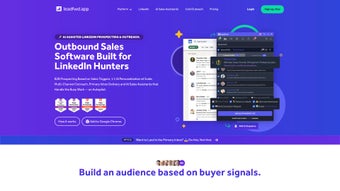
Leadfwd is a cutting‑edge, AI‑driven B2B sales platform built specifically for LinkedIn prospecting. In today’s hyper‑connected marketplace, sales teams need more than a simple CRM; they require a smart engine that can research, personalize, and automate outreach across multiple channels. Leadfwd delivers exactly that by blending advanced machine learning with a suite of automation tools, allowing sales representatives to focus on conversation rather than repetitive tasks.
The platform’s core promise is to turn LinkedIn into a high‑precision lead generation engine, producing verified email lists, real‑time intent signals, and multi‑channel communication paths—including email, SMS, voice drops, and LinkedIn messages. By integrating a Chrome extension, Leadfwd works seamlessly in the browser, enabling on‑the‑go prospecting without the need for a bulky desktop client. Whether you are a solo founder, a small sales team, or a large enterprise, Leadfwd scales to meet the volume and complexity of modern outbound strategies while maintaining a secure, compliant environment.
The platform also offers a “cold outreach” toolkit designed to bypass spam filters, ensuring higher deliverability rates and better response ratios. In short, Leadfwd is the all‑in‑one sales assistant that transforms raw LinkedIn data into actionable, revenue‑generating conversations, and it does so with a focus on data security, GDPR compliance, and continuous AI improvement.
Key Features & Capabilities
- AI‑Powered Personalization: Automatically crafts tailored messages based on prospect behavior, industry trends, and historical interaction data.
- LinkedIn Prospector: Scans LinkedIn profiles, extracts verified email addresses, and builds clean, exportable lead lists.
- Multi‑Channel Outreach: Sends coordinated campaigns via email, SMS, voice drops, and LinkedIn InMail from a single dashboard.
- Automated Workflows: Triggers follow‑ups, task assignments, and lead scoring automatically based on defined rules.
- Intent Data Engine: Detects when a prospect is actively researching your brand, flagging high‑intent leads for immediate action.
- AI Sales Assistant: Acts as a virtual SDR, handling routine tasks such as voicemail drops, appointment scheduling, and data enrichment.
- Chrome Extension: Provides one‑click prospecting directly from the LinkedIn UI, eliminating context switches.
- Cold Outreach Bypass: Uses proprietary techniques to avoid spam filters, improving open and reply rates.
- Secure Data Handling: End‑to‑end encryption, GDPR compliance, and role‑based access controls keep your lead data safe.
- Real‑Time Analytics: Dashboards show campaign performance, pipeline health, and ROI at a glance.
Each feature is engineered to feed the next, creating a self‑reinforcing loop where AI learns from every interaction. For instance, the Intent Data Engine flags high‑priority leads, which the AI Sales Assistant then pushes into a personalized multi‑channel sequence. The result is a streamlined, data‑driven sales motion that reduces manual effort while increasing conversion rates.
Moreover, Leadfwd’s architecture allows teams to customize templates, set granular rules for follow‑ups, and even experiment with A/B testing on message copy—all without writing a single line of code. The platform’s reporting layer aggregates data across email, SMS, voice, and LinkedIn, giving managers a 360° view of campaign health and enabling rapid iteration based on real‑time insights. This depth of automation and intelligence makes Leadfwd a compelling alternative to traditional outreach tools that rely on static lists and manual sequencing.
Installation, Usage & Compatibility
Simple Download & Secure Setup
Leadfwd follows a cloud‑first deployment model, meaning there is no heavy client to install on your workstation. To get started, visit the official website, click the Download Leadfwd button, and register with a valid email address—no credit card is required for the 14‑day free trial. After confirming your email, you’ll receive a secure link to add the Chrome extension (compatible with Chrome, Edge, and any Chromium‑based browser). Installation takes less than two minutes: simply drag the extension into your browser, grant read‑only access to LinkedIn, and sign in using the credentials you created during registration. Because the heavy lifting occurs on Leadfwd’s servers, all updates, AI model upgrades, and security patches are applied automatically, eliminating the need for manual maintenance.
Step‑by‑Step Usage Guide
- Connect Your LinkedIn Account: Authorize Leadfwd to read your LinkedIn profile. The connection is read‑only, ensuring your personal data remains private.
- Build a Target List: Use the LinkedIn Prospector to filter prospects by industry, company size, job title, or keyword. Export the list directly into the Leadfwd dashboard with a single click.
- Configure AI Personalization: Choose a pre‑built template or let the AI generate a custom message that references recent prospect activity, shared connections, or industry news.
- Design Multi‑Channel Sequences: Arrange email, SMS, voice drop, and LinkedIn InMail in the order that best fits your outreach cadence. Leadfwd automatically respects time zones and optimal send windows.
- Launch & Monitor: Hit “Start Campaign.” Real‑time analytics update as prospects engage, while the AI Sales Assistant handles follow‑ups, schedule adjustments, and lead scoring without human intervention.
Operating System Compatibility
Leadfwd is a web‑based SaaS solution, so it works on any modern operating system with a supported browser. Officially supported platforms include:
- Windows 10, 11 (Chrome, Edge, Firefox)
- macOS Monterey, Ventura, and later (Chrome, Safari, Firefox)
- Linux distributions with Chromium‑based browsers
- Android 8.0+ (via Chrome mobile)
- iOS 13+ (via Safari or Chrome)
Because the application runs in the cloud, there is no need for heavyweight desktop software. All data syncs instantly across devices, and you can manage campaigns from a laptop, tablet, or smartphone. This flexibility ensures that sales reps can stay productive whether they are at their desk, traveling, or working remotely.
Pros, Cons, FAQ & Conclusion
Pros
- AI‑driven personalization dramatically improves response rates.
- Multi‑channel outreach consolidates email, SMS, voice, and LinkedIn in one place.
- Chrome extension enables instant prospecting directly from LinkedIn.
- Intent Data highlights high‑interest leads, boosting conversion efficiency.
- Secure, GDPR‑compliant data handling protects sensitive prospect information.
- Free trial with no credit card lowers entry barriers for small teams.
Cons
- Learning curve for advanced AI workflow customization.
- Pricing may be high for very small businesses once the trial ends.
- Relies heavily on LinkedIn data; changes to LinkedIn’s API could affect functionality.
Frequently Asked Questions
Is Leadfwd free to use after the trial?
Leadfwd offers a 14‑day free trial with full feature access. After the trial, a subscription is required. Pricing tiers start at $49 per user per month, with discounts for annual commitments.
Can I integrate Leadfwd with my existing CRM?
Yes. Leadfwd provides native integrations with popular CRMs such as Salesforce, HubSpot, and Pipedrive via API keys or Zapier connections.
How does Leadfwd ensure my data is secure?
All data is encrypted in transit (TLS 1.3) and at rest (AES‑256). The platform complies with GDPR, CCPA, and ISO‑27001 standards, and offers role‑based access controls for team members.
What happens if LinkedIn changes its API policies?
Leadfwd’s development team monitors LinkedIn API updates closely. In the event of major changes, the company provides timely updates or alternative methods (such as manual import) to keep prospecting uninterrupted.
Can I run Leadfwd on mobile devices?
Yes. The web app is responsive, and the Chrome extension works on Android and iOS browsers. You can launch campaigns, view analytics, and manage leads from any smartphone or tablet.
Rating: 4.5 / 5
Leadfwd excels at turning LinkedIn into a high‑efficiency prospecting engine. Its AI personalization and intent data give it an edge over traditional outreach tools, though the price point may deter very small startups. Overall, the platform delivers measurable ROI for mid‑size and enterprise sales teams.
Conclusion & Call to Action
If you’re searching for a secure, AI‑powered solution that consolidates LinkedIn prospecting, multi‑channel outreach, and real‑time analytics, Leadfwd stands out as a compelling choice. The automation reduces manual workload, while intelligent features—such as Intent Data and the AI Sales Assistant—ensure you’re always engaging the right prospects at the right time. Although the subscription cost reflects its enterprise‑grade capabilities, the efficiency gains often offset the expense through higher conversion rates and shorter sales cycles.
Ready to supercharge your outbound pipeline? Download Leadfwd now and start your free trial today. Experience the future of LinkedIn‑driven sales—secure, automated, and AI‑enhanced.



.png)



